
How To Delete Gmail or Google Account
So you have decided that you don’t need your Gmail anymore, here’s how you can delete Gmail or Google Account.
Note: that deleting a “Google” account is the same as deleting a “Gmail” account.
1. Sign in to your Google account.
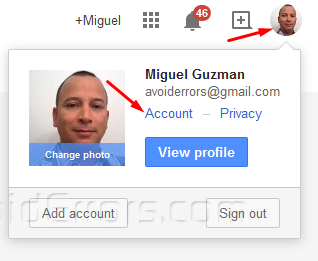
2. Click on your image or email and select Account from the dropdown.
2. From the top Nav, click Data tools.

3. In the Data Tools box, click Delete products.
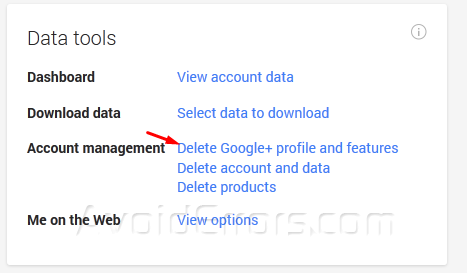
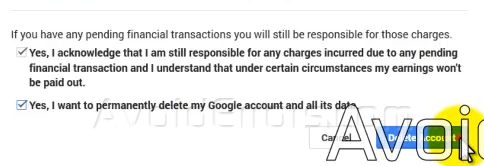
4. Click Delete account to delete Gmail permanently.
Video Tutorial:


