
Reset Notepad to default settings on Windows 10
Notepad is a very useful text editor and you may be using it for a long time , and if for any reason you want to revert it to default settings , follow this article carrefuly.
1. Right click on Start and click on Run.

2. Then type in regedit and click ok.

3. Now navigate to: HKEY_CURRENT_USER\Software\Microsoft\Notepad right click on notepad folder and click on delete.
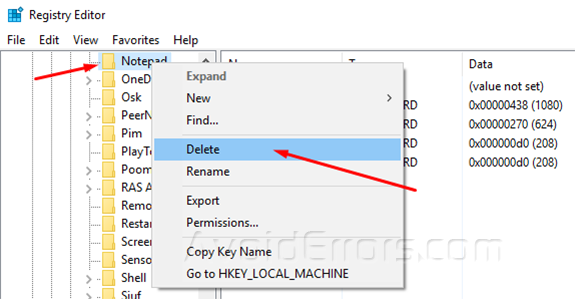
Now your notepad is back to the default settings.


